








Executive Summary
Creating a maintainable, scalable, secure and cost-effective system that incorporates modern AI elements for content generation, classification and decision-making is hard. Choosing the right technologies and vendor partners is like hitting a moving target from a great distance; things often don’t end up being what you expected by the time you need them. Choosing the right architecture is equally difficult and relies on assumptions about organizational and operational maturity in addition to the aforementioned technological and product-readiness concerns. And the process of implementation itself needs to be handled carefully, accounting for unforeseeable changes in costs, functional requirements and the sometimes-uneven progress of development itself as people, and priorities, shift over time.
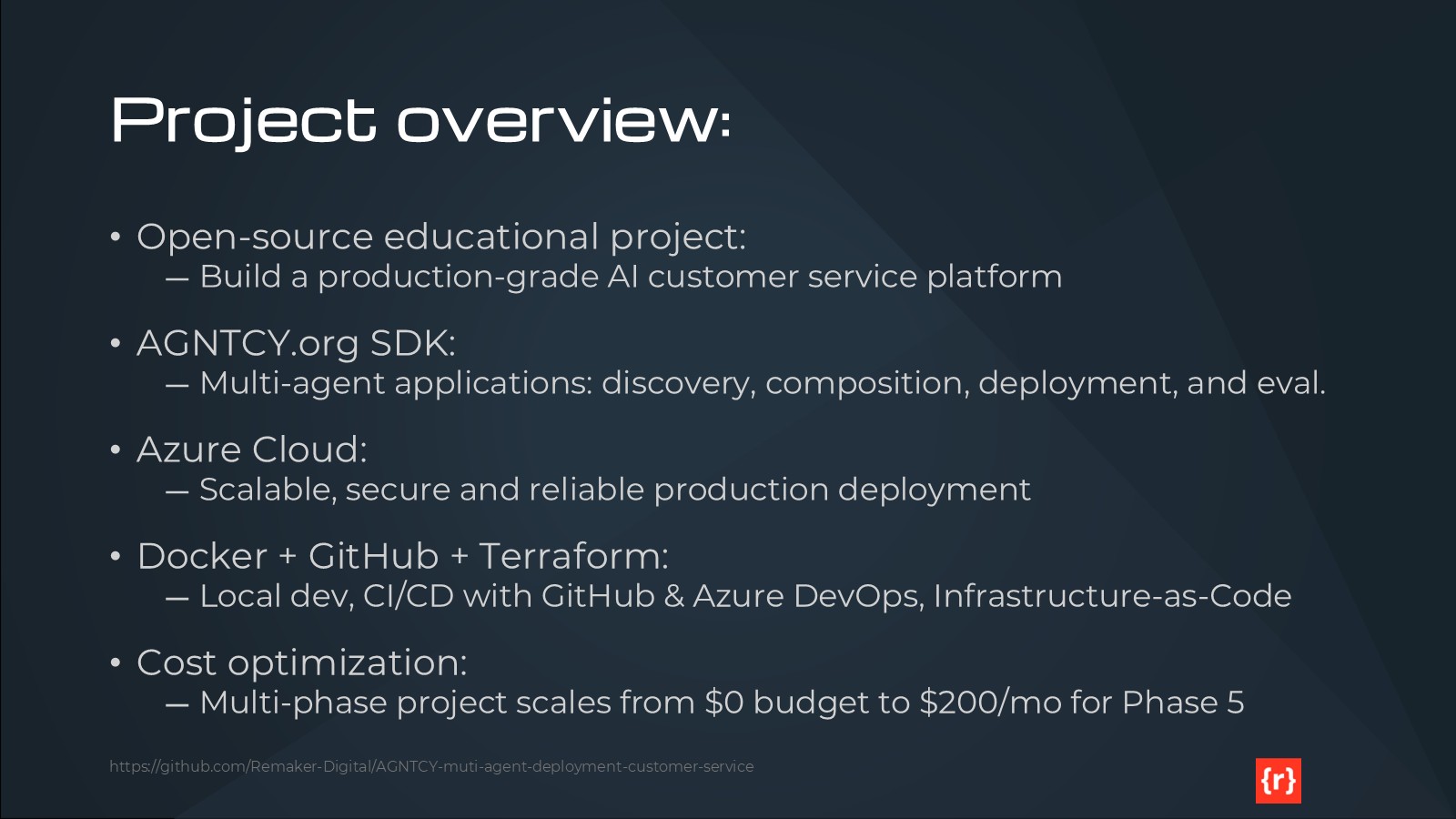
This project is an example of a real-world journey of building and deploying a multi-agent AI system, from initial concept to production deployment on Microsoft Azure. We aim to illustrate not only an excellent final implementation, but a way of planning for change and minimizing risks and costs from start to finish.
This project is intended to be primarily an educational tool, but we’re not sacrificing the -ilities that a true production-quality solution requires. You should be able – if you choose – to adapt this project to your unique circumstances and deploy it for your own business. It will work. This is not a toy.
Building Enterprise-class, Multi-Agent Systems
The development team has been tasked with building an intelligent customer service orchestration platform, a multi-agent system where specialized AI agents handle different aspects of customer interactions. Some of the agents may interact with AI models, while others execute rules and deterministic processes to add data, cleanse, measure, throttle or otherwise contribute to the behavior of the system as a whole.
The decision to implement an agentic component model is not a matter of debate, given that scaling and maintainability and security all require some degree of modularity and create boundaries between differing parts of the system. The question is how, exactly, those components should be conceived, implemented and connected.
For this project, we made several technology choices which could be debated, and should be. In many cases, different organizations may need to make different choices, but we decided to move forward with a toolkit that we know, and which should work well in the majority of real-world cases.
Our architecture employs five specialized agents working in concert to deliver exceptional customer service. The Intent Classification Agent serves as the initial routing mechanism, analyzing incoming customer requests and directing them to appropriate handlers. The Knowledge Retrieval Agent searches across internal documentation, FAQs, product catalogs, and integrated systems like Shopify, Zendesk, and policy databases to gather relevant information. The Response Generation Agent synthesizes contextually appropriate responses, while the Escalation Agent identifies complex cases requiring human intervention based on sentiment analysis and complexity scoring. Finally, the Analytics Agent passively collects metrics and performance data to support continuous improvement.
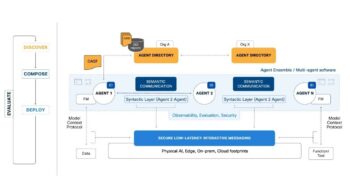
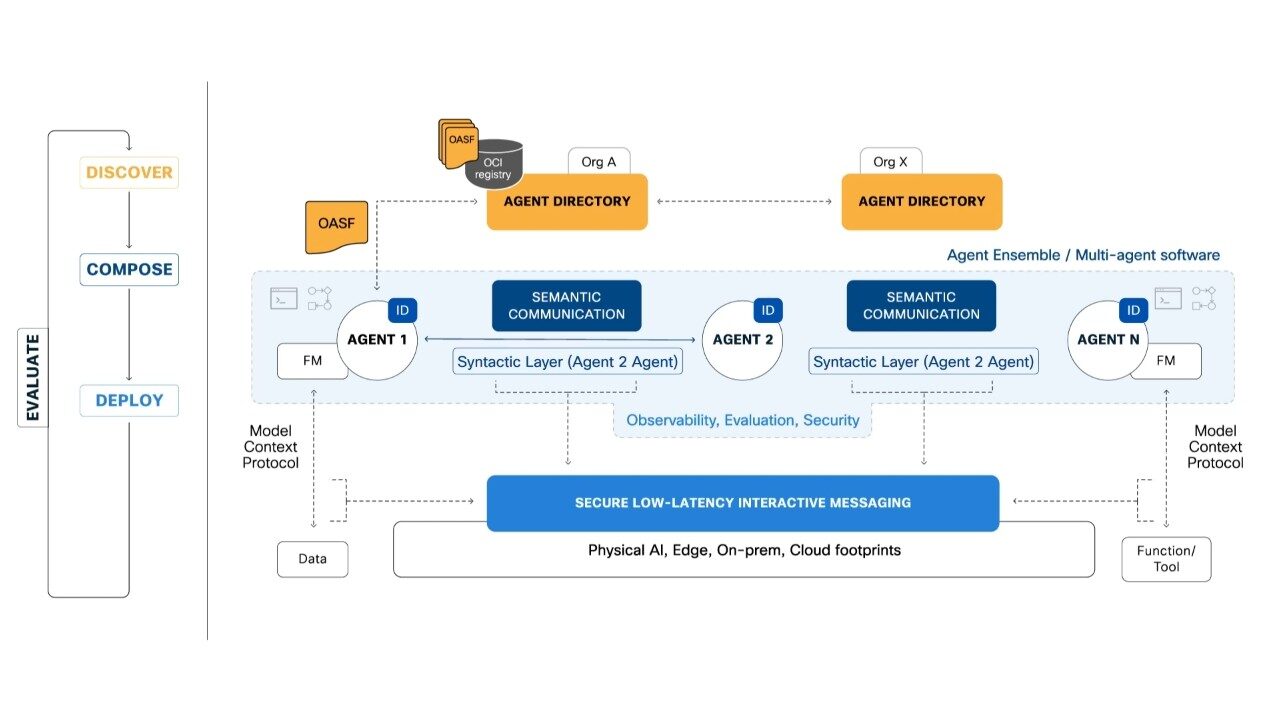
These agents communicate using the AGNTCY SDK’s protocol stack, which includes A2A (Agent-to-Agent) for custom logic and peer communication, MCP (Model Context Protocol) for external API integration, SLIM (Secure Low-Latency Interactive Messaging) for security-critical interactions, and NATS for high-throughput pub-sub messaging patterns. This multi-protocol approach allows each agent to use the most appropriate transport mechanism for its specific requirements.
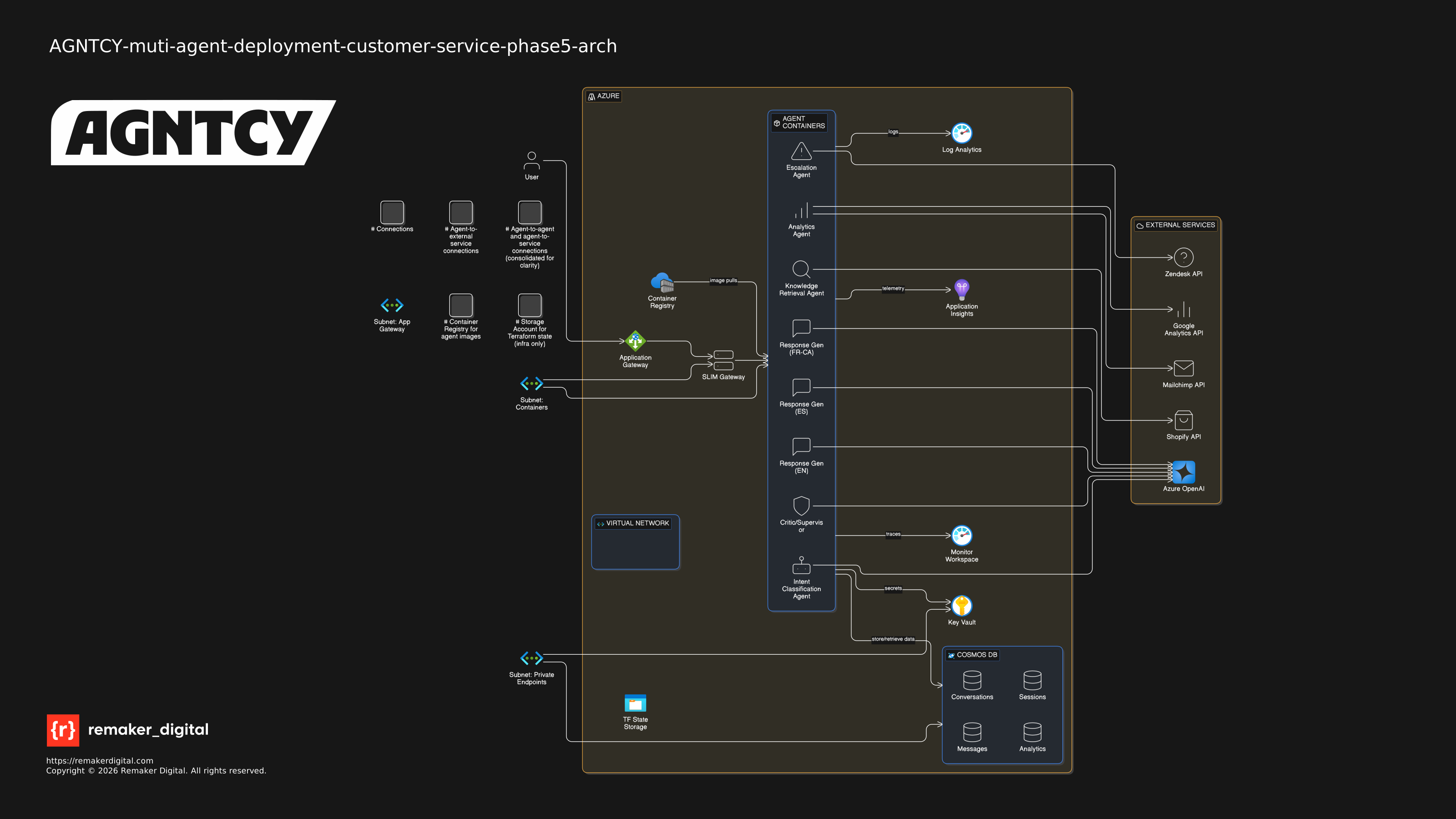
The production architecture shown above illustrates our Azure deployment strategy for Phases 4 and 5. All agents run as containerized workloads in Azure Container Instances with auto-scaling capabilities. Azure Cosmos DB serves as our conversation state store using serverless mode for cost optimization. Azure Cache for Redis handles session management on the Basic C0 tier. The Application Gateway provides load balancing and SSL termination, while Azure Key Vault manages secrets with Managed Identity integration. OpenTelemetry Collector aggregates telemetry data, which flows into ClickHouse for storage and Grafana for visualization. This architecture is designed to deliver production-grade reliability while staying within our $200 monthly budget constraint.
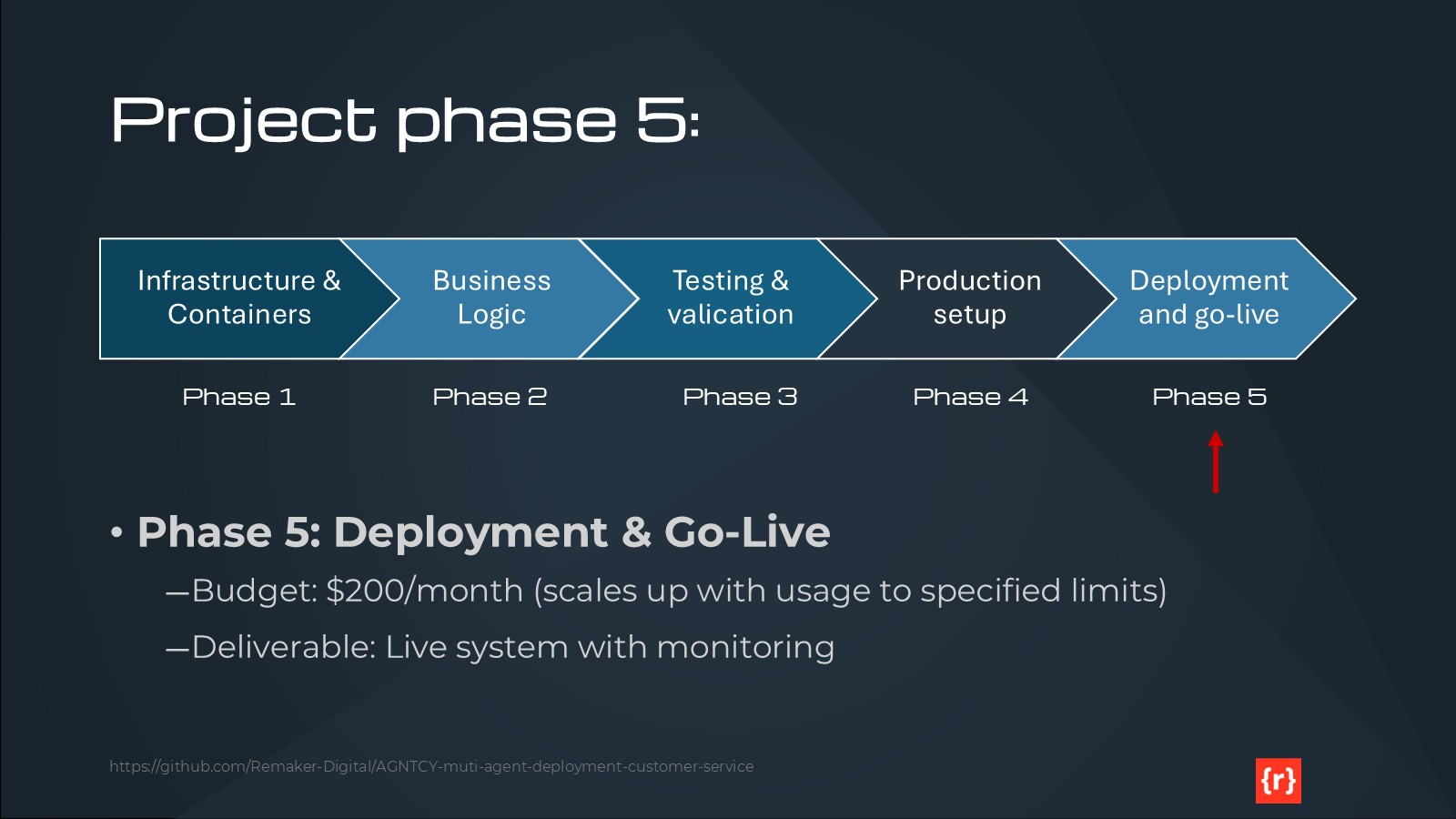
Executing this project in phases
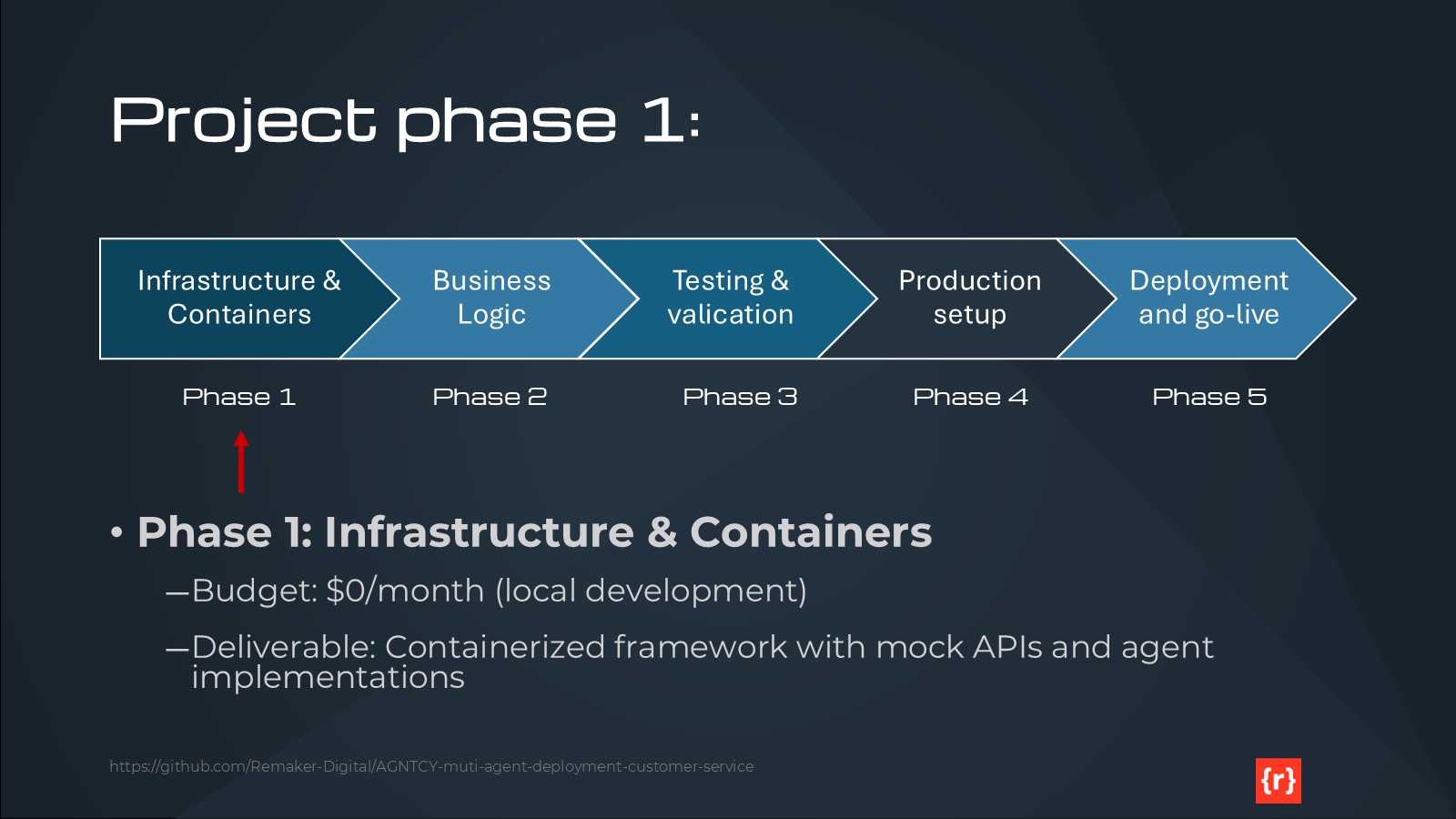
Phase 1: Infrastructure and Containerization
Phase 1 establishes the foundation for local development with zero cloud costs. We’ve created a comprehensive Docker Compose environment consisting of 13 services running on a single bridge network. This includes NATS messaging (ports 4222-8222), SLIM transport with gateway password authentication (port 46357), ClickHouse database (ports 9000, 8123), OpenTelemetry Collector (ports 4317, 4318), Grafana dashboards (port 3001), five agent containers, and four mock API services.
Our shared utilities module provides 1,136 lines of production-grade code with 100% test coverage. The Factory Singleton pattern ensures thread-safe SDK initialization with proper resource cleanup. All agents follow consistent patterns with configuration loading, structured logging, graceful shutdown handling, and comprehensive error handling. The testing framework includes 63 passing tests (9 Docker-dependent tests skipped locally) with 46% overall coverage, which is appropriate for Phase 1 mock implementations.
We’ve implemented Docker optimization techniques that reduced image sizes by 40-50% and build times by over 90%. Agent images now range from 150-200MB down from 250-300MB, with build times dropping from 60-90 seconds to just 5-10 seconds for code changes. This is achieved through multi-stage builds, layer caching optimization, and dependency installation before code copying.
The CI/CD pipeline validates code across multiple platforms (Windows, Linux, macOS) and Python versions (3.12, 3.13). We enforce code quality through Flake8 linting, Black formatting, and Bandit security scanning. The minimum 46% coverage requirement ensures core utilities maintain their 100% coverage target.
Our mock APIs mirror production service behavior without incurring costs. Mock Shopify implements 8 endpoints across products, inventory, orders, and checkouts (195 lines). Mock Zendesk provides ticket creation, retrieval, updates, and user management (278 lines). Mock Mailchimp handles email marketing and subscriber management (274 lines), while Mock Google Analytics simulates GA4 Measurement Protocol event tracking (219 lines). These mocks enable full integration testing without external dependencies.
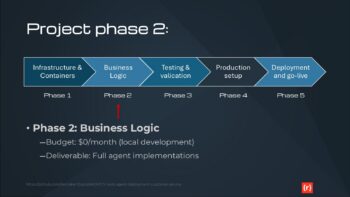
Phase 2: Business Logic Implementation
Phase 2 will replace our keyword-based intent classification with real NLP models, either using Azure Cognitive Services, OpenAI embeddings, or a custom-trained model. We’ll integrate Azure OpenAI for LLM-powered response generation, enabling contextual synthesis and personalization based on customer history. Knowledge retrieval will be enhanced with vector embeddings for semantic search and improved relevance ranking. Multi-language support will be architected for Phase 4 deployment, with language detection and topic-based routing to language-specific agent instances. All of this development remains at $0 cost through local Docker execution.
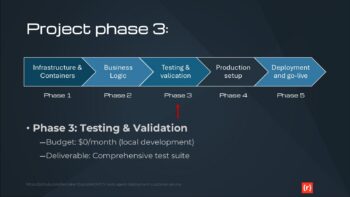
Phase 3: Testing and Validation
Phase 3 expands our test coverage beyond the current 46% to a target of 80%. We’ll implement comprehensive integration testing, end-to-end functional tests, and performance benchmarking with Locust for load testing. The CI/CD pipeline will be enhanced with automated performance tests, UI testing with Playwright, and deployment validation. Quality gates will enforce coverage requirements, performance thresholds, and security scanning results before any production deployment.
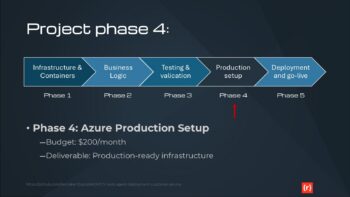
Phase 4: Azure Production Setup
Phase 4 transitions to Azure with a target budget of $180-200 monthly. We’ll provision Azure Container Instances ($15-20/month), Cosmos DB serverless tier ($25-30/month), Redis Cache Basic C0 ($15-20/month), Application Gateway ($20-30/month), Container Registry ($5/month), Key Vault ($5/month), Application Insights ($5-10/month), Cognitive Search ($10-15/month), and Blob Storage ($5/month). Terraform will manage all infrastructure as code. Multi-language support for Canadian French and Spanish will be deployed with pre-translated response templates to avoid real-time translation costs. Real API integration with Shopify, Zendesk, Mailchimp, and Google Analytics will replace our mocks.
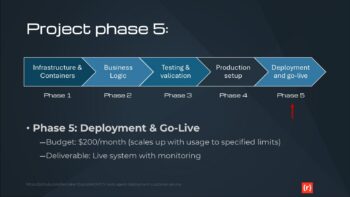
Phase 5: Production Deployment and Go-Live
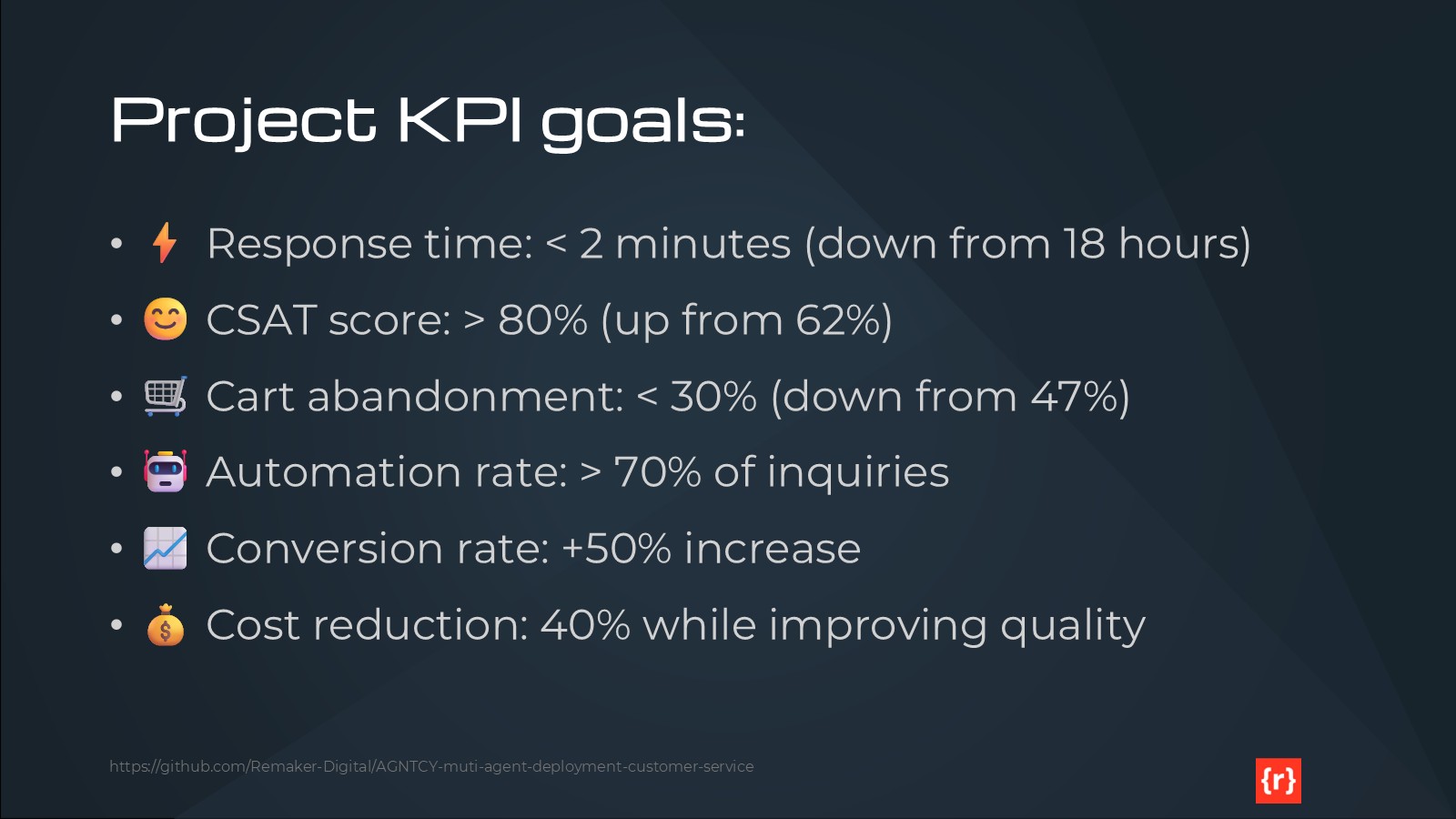
Phase 5 validates our production deployment through comprehensive testing. Security validation includes penetration testing, OWASP scanning, and compliance verification. Load testing will confirm our system handles 100 concurrent users and 1000 requests per minute while maintaining sub-2-minute response times. Disaster recovery procedures will be tested with RPO of 1 hour and RTO of 4 hours. Monitoring and alerting through Application Insights and Grafana will be fully operational. Final performance validation will measure against our KPIs: response times under 2 minutes, CSAT above 80%, cart abandonment below 30%, and 70%+ automation rate.
Understanding our choices
Why we chose the AGNTCY.org SDK
The AGNTCY SDK provides production-grade multi-agent orchestration infrastructure that would take months to build from scratch. It offers built-in agent discovery, identity management, and secure messaging through multiple transport protocols. The A2A protocol enables custom agent logic with peer-to-peer communication, while MCP provides standardized external API integration. SLIM transport ensures low-latency, secure communication for sensitive interactions, and NATS pub-sub handles high-throughput scenarios like analytics event collection.
The SDK’s observability integration with OpenTelemetry provides distributed tracing out of the box. Our Factory Singleton pattern creates thread-safe SDK clients with proper lifecycle management and graceful shutdown. The demo mode allows development without full infrastructure, accelerating initial prototyping. As an open-source project with active development and community support, AGNTCY represents a strategic choice for building maintainable, scalable agent systems without vendor lock-in.
Why we chose Azure and Terraform for IaC
Microsoft Azure provides the optimal balance of functionality and cost for our $200 monthly budget. Azure Container Instances offer pay-per-second billing with sub-second startup times, dramatically reducing costs compared to always-on App Service plans. Cosmos DB serverless mode charges per request rather than provisioned throughput, aligning perfectly with variable customer service workloads. The comprehensive suite of cost-optimized tiers (Redis Basic C0, Container Registry Basic, Application Gateway Standard_v2) enables production deployment without enterprise pricing.
Azure’s integration story is compelling: Managed Identity eliminates secrets management complexity, Application Insights provides observability without third-party tools, and Cognitive Search delivers semantic knowledge retrieval with built-in vector search. The East US region offers the most comprehensive service availability at competitive pricing. Azure’s commitment to OpenTelemetry ensures our observability strategy remains portable.
Terraform manages our infrastructure as code with declarative resource definitions, state management in Azure Blob Storage, and environment-specific configurations for dev and production. The Azure provider offers comprehensive coverage of all services we need, with mature documentation and community support. Infrastructure versioning alongside application code in Git enables proper change management and disaster recovery through infrastructure recreation.
Why we chose Docker and GitHub
Docker Desktop for Windows enables $0 development costs for Phases 1-3 while maintaining production parity. Our 13-service Docker Compose orchestration includes all infrastructure dependencies, agent containers, and mock services running on a single machine. Multi-stage builds optimize image sizes and build times. Layer caching accelerates iteration. Non-root user enforcement improves security. The consistency between local Docker containers and Azure Container Instances minimizes deployment surprises.
GitHub provides version control, collaboration, and CI/CD through GitHub Actions at zero cost for public repositories. Our workflow validates code across three operating systems and two Python versions on every commit. GitHub Desktop lowers the barrier for developers less familiar with command-line Git. The public repository serves our educational mission, allowing others to learn from our implementation patterns. GitHub’s integration with Dependabot and security scanning tools ensures we maintain dependency hygiene and address vulnerabilities promptly.
Why we chose Shopify, Mailchimp, Zendesk and Google Analytics
These four platforms represent the most common customer service integration points for e-commerce businesses. Shopify dominates the e-commerce platform market with robust APIs for products, inventory, orders, and checkout events. Our Knowledge Retrieval Agent integrates with Shopify to provide real-time product information and order status. Mailchimp delivers email marketing capabilities with a generous free tier (500 contacts, 1000 sends monthly), enabling automated customer engagement without additional costs.
Zendesk offers enterprise-grade ticketing that our Escalation Agent uses to create support cases requiring human intervention. While Zendesk requires budget allocation ($19-49 per agent monthly), the trial and sandbox options support development and testing. Google Analytics 4 provides web analytics and event tracking at no cost, feeding data to our Analytics Agent for performance monitoring and insight generation.
By choosing the most widely deployed platforms in each category, we maximize the educational value and real-world applicability of this project. Developers can easily adapt our integration patterns to their specific environments, and the mock APIs we built during Phase 1 serve as reference implementations for anyone building similar systems.
Why we chose OpenAI
OpenAI’s models through Azure OpenAI Service provide the optimal balance of capability, latency, and cost for our Response Generation Agent. Azure OpenAI offers the same GPT models as OpenAI’s API with additional enterprise features: deployment within our Azure environment, Managed Identity authentication, and data residency in our selected region. The pay-per-token pricing model aligns with our variable workload, and aggressive caching strategies minimize redundant generation costs.
For Phase 1 development, we use template-based responses to avoid any LLM costs during infrastructure buildout. Phase 2 will integrate Azure OpenAI with careful token usage monitoring to stay within our $20-50 monthly LLM budget estimate. The Response Generation Agent is architected to support multiple LLM providers, allowing us to evaluate alternatives like Claude through Anthropic’s API if Azure OpenAI pricing becomes prohibitive.
OpenAI’s function calling capabilities integrate naturally with our A2A and MCP protocols, enabling the LLM to invoke other agents and external APIs when generating responses. This creates a powerful orchestration layer where the LLM acts as an intelligent coordinator rather than just a text generator. The combination of AGNTCY’s agent framework with OpenAI’s reasoning capabilities delivers true agentic behavior at a fraction of the cost of building custom models.
Always read the README
PROJECT-README.txt
PROJECT PURPOSE:
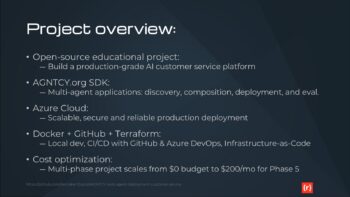
This is an educational example project demonstrating how to build a multi-agent AI system on Azure using the AGNTCY SDK. This project will be publicly available on GitHub as a companion to a blog post series, serving as a hands-on learning tool for developers interested in multi-agent architectures, Azure deployment, and cost-effective cloud solutions.

OBJECTIVE:
- An AI-powered multi-channel customer engagement platform that can automate routine interactions, provide personalized experiences, and intelligently route complex issues while maintaining high-quality customer service.

KEY PERFORMANCE INDICATORS
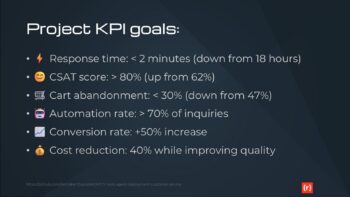
- Reduce average response time from 18 hours to under 2 minutes
- Improve CSAT from 62% to above 80%
- Decrease cart abandonment rate from 47% to under 30%
- Automate resolution of 70%+ routine customer inquiries
- Increase conversion rate by at least 50%
- Reduce customer support costs by 40% while improving service quality

TECHNICAL CONSTRAINTS:
- Must integrate seamlessly with existing Shopify store
- Zendesk for ticket-based customer support
- Mailchimp for email marketing campaigns
- Google Analytics for basic website analytics
- Cannot disrupt checkout flow or site performance
- Need mobile-responsive chatbot interface
- Primary language: US English
- Additional language support (Phase 4): Canadian French, Spanish (see MULTI-LANGUAGE SUPPORT section)
- Real-time inventory integration for product inquiries
- Maintain sub-2-second page load times

BUDGET:
- Phase 1-3 (Development & Testing): $0/month
  * Local development using Docker Desktop on Windows 11
  * All services run locally via Docker Compose
  * Mock/stub APIs for third-party integrations
  * No cloud resources consumed

- Phase 4-5 (Production Deployment): $200/month
  * Azure resources deployed to East US region
  * Cost optimization is a key learning objective
  * Budget alerts at 80% ($160) and 95% ($190)
  * Cost allocation tags for granular tracking

PLAN:
- Phase 1: Create the infrastructure and deployable containers with all essential software, excluding the business logic of the application suitable for desktop development and testing using Docker Desktop on Windows 11
  * Setup: VS Code, Docker Desktop, GitHub Desktop, AGNTCY SDK (PyPI installation)
  * Deliverable: Containerized agent framework with mock APIs
  * Testing: Unit tests with pytest, no external service dependencies
  * Budget: $0 (fully local)

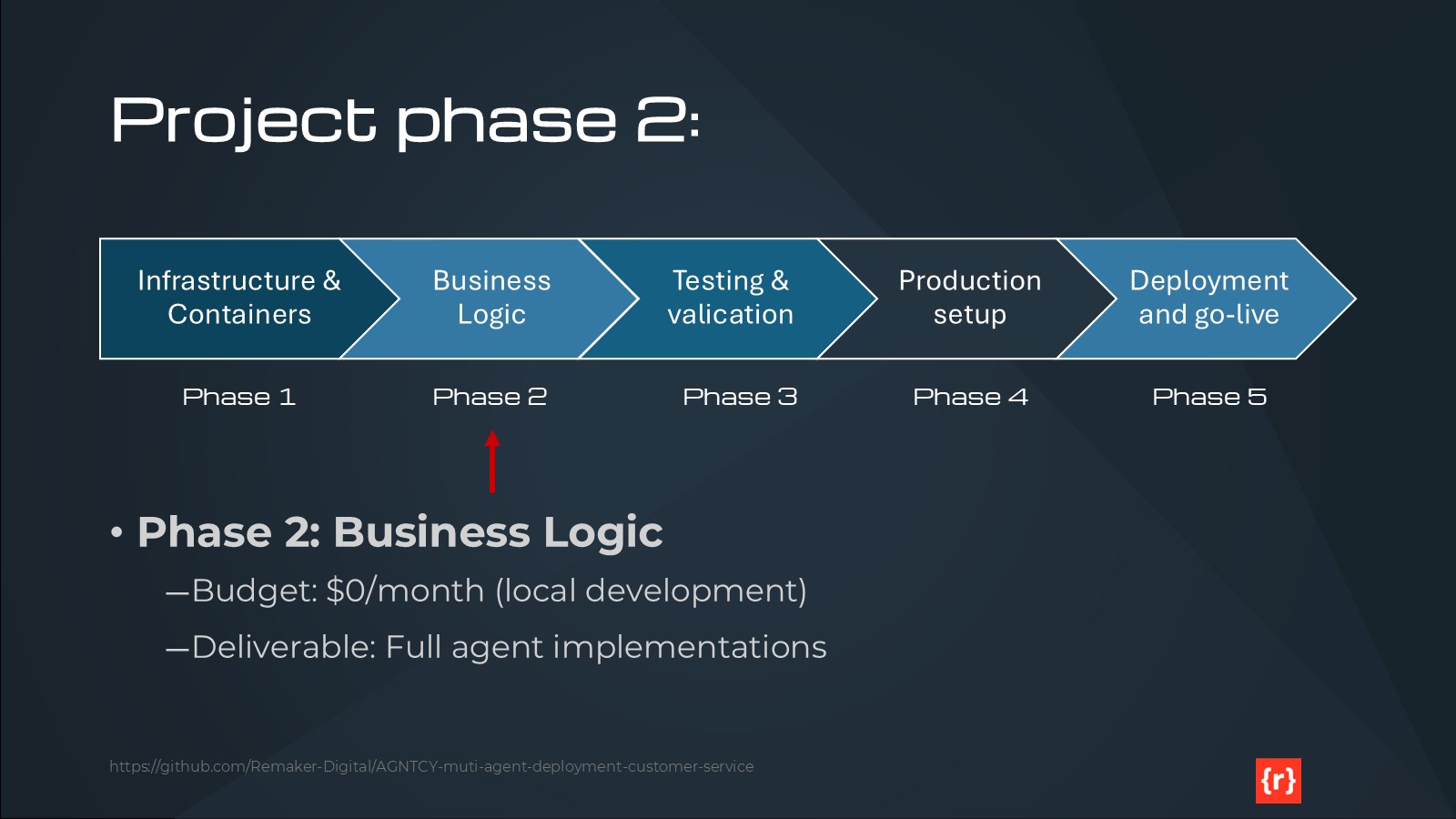
- Phase 2: Implement the business logic of the service
  * Development: Agent implementation using AGNTCY SDK patterns
  * Integration: Mock Shopify, Zendesk, Mailchimp APIs
  * Testing: Integration tests against mock services
  * Budget: $0 (fully local)

- Phase 3: Test the business logic of the service for functionality
  * Functional testing with mock data
  * Multi-agent conversation flows
  * Performance benchmarking (local)
  * CI: GitHub Actions for automated testing
  * Budget: $0 (GitHub Actions free for public repos)

- Phase 4: Create a new version of the project adapted to a full production environment on Azure
  * Region: East US (primary)
  * Multi-language support: Add Canadian French and Spanish
  * Real API integration: Shopify, Zendesk, Mailchimp
  * Infrastructure: Terraform for Azure resources
  * CI/CD: Azure DevOps Pipelines
  * Budget: $200/month with aggressive cost optimization

- Phase 5: Deploy and test the production environment before go-live
  * End-to-end testing in Azure
  * Load testing and performance validation
  * Security scanning and compliance checks
  * Disaster recovery validation
  * Budget: Within $200/month allocation

DEVELOPMENT ENVIRONMENT:
- Operating System: Windows 11
- IDE: Visual Studio Code (VS Code)
- Containerization: Docker Desktop for Windows
- Version Control: GitHub Desktop and GitHub repository
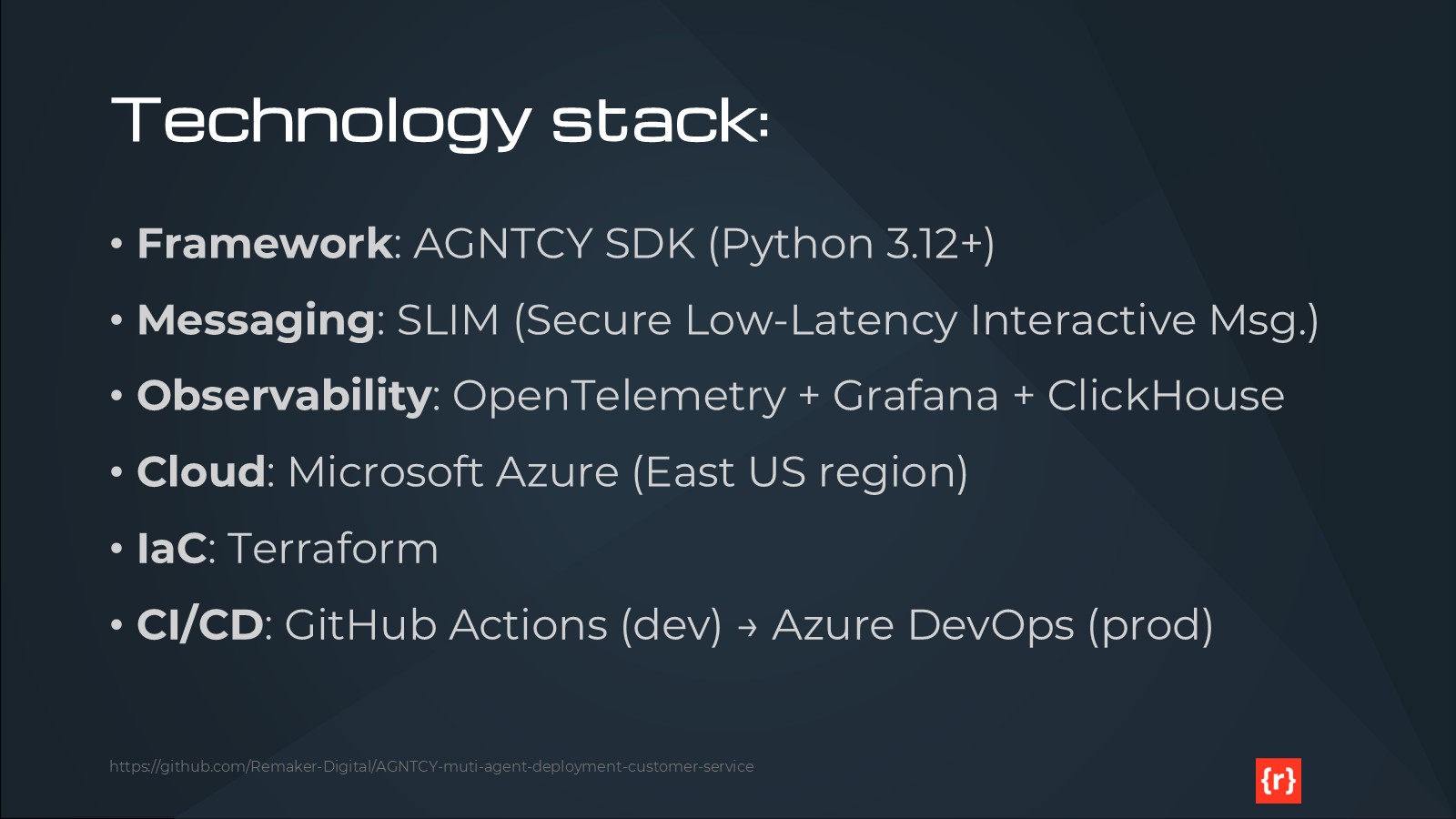
- Programming Language: Python 3.12+
- Package Management: pip (with virtual environments)

TECHNOLOGY STACK:
- AGNTCY SDK: Multi-agent infrastructure for collaboration, discovery, identity, messaging, and observability
  * Installation: pip install agntcy-app-sdk (PyPI)
  * Source: https://github.com/agntcy/app-sdk
  * Version: Latest stable from PyPI

- GitHub: Version control and collaboration
  * GitHub Desktop for local Git operations
  * GitHub Actions for CI/CD (Phase 1-3)
  * Public repository for educational access

- Docker: Fully containerized infrastructure
  * Docker Desktop for Windows for local development
  * Docker Compose for multi-service orchestration
  * Container images for each agent and supporting services

- Azure: Cloud platform for production deployment (Phase 4-5)
  * Primary Region: East US
  * Services detailed in PRODUCTION ARCHITECTURE section

- Terraform: Infrastructure-as-code for Azure resource provisioning
  * Defines all Azure resources declaratively
  * Version controlled alongside application code
  * Separate configurations for dev (Phase 1-3) and prod (Phase 4-5)

AGENTS:
- Intent Classification Agent: Routes incoming requests to appropriate handlers
- Knowledge Retrieval Agent: Searches internal documentation and knowledge bases
- Response Generation Agent: Crafts contextually appropriate responses
- Escalation Agent: Identifies cases requiring human intervention
- Analytics Agent: Monitors performance and identifies improvement opportunities
- Additional agents as required

PRODUCTION ARCHITECTURE (Phase 4-5 only):
- Region: East US (primary deployment region)
- Containerized AI agents running on Azure Container Instances
- Azure Cosmos DB for conversation state storage (optimized to fit $200/month budget)
- Azure Cache for Redis for session management (Basic tier for cost optimization)
- Azure Application Gateway for load balancing (Standard_v2 tier)
- Azure Container Registry for image storage (Basic tier)
- Azure Key Vault for secrets management (Standard tier)
- Azure Monitor for observability (with cost-optimized retention policies)
- Azure Cognitive Search integration for the Knowledge Retrieval Agent (Basic tier)

Note: All services sized and configured to maximize functionality within $200/month budget constraint. See COST OPTIMIZATION section for specific strategies.

NETWORKING (Phase 4-5):
- Virtual network with private endpoints for database and cache
- Network security groups with least-privilege access
- Public endpoint only for Application Gateway
- Internal service mesh for agent communication
- Single region deployment (East US) for cost optimization
- Note: Azure Front Door global load balancing excluded to stay within budget (can be added later if needed)

SCALABILITY (Phase 4-5):
- Each agent should scale independently based on CPU/memory
- Auto-scaling: Start with 1 instance, scale to max 3 instances per agent (reduced from 2-10 for cost optimization)
- Redis cache: Basic C0 (250MB) initially, upgrade if needed within budget
- Cosmos DB: Serverless mode for cost optimization (pay-per-request vs provisioned RU/s)
- Horizontal scaling limited by $200/month budget constraint

SECURITY:
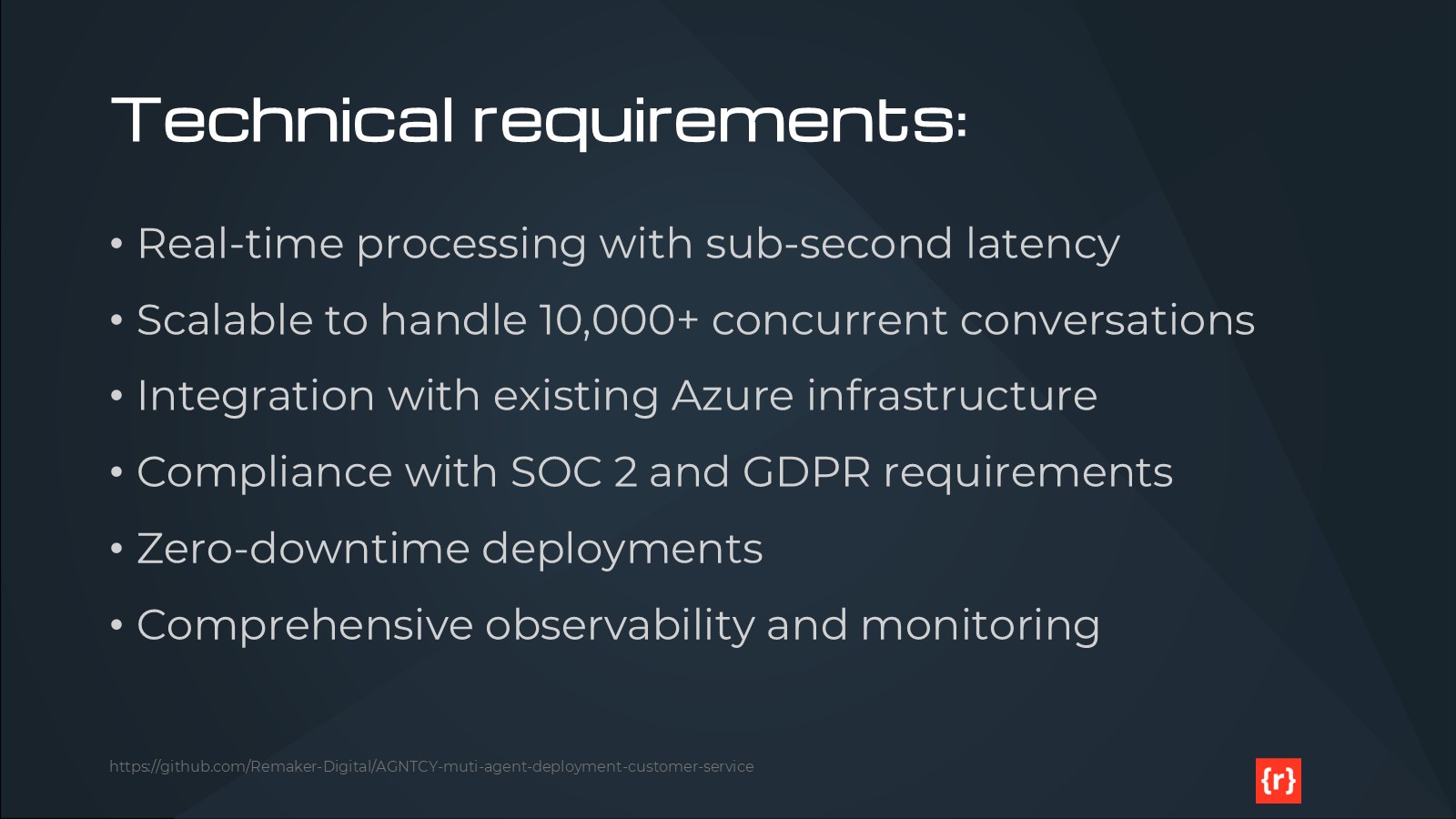
- All secrets stored in Key Vault
- Managed identities for all services
- Encryption at rest for storage
- TLS 1.3 for all connections
- Network isolation for backend services

OBSERVABILITY:
- Application Insights for APM
- Log Analytics workspace for centralized logging
- Custom metrics for agent performance
- Alerts for latency, errors, and cost anomalies

COST OPTIMIZATION (Key Learning Objective):
Phase 1-3 Strategies ($0 budget):
- Use Docker Desktop for all local development
- Mock/stub all third-party services (no API costs)
- GitHub Actions free tier for public repositories
- No cloud resources provisioned

Phase 4-5 Strategies ($200/month budget):
- Use Azure Container Instances (pay-per-second billing) instead of always-on App Service
- Cosmos DB Serverless mode (pay-per-request) instead of provisioned throughput
- Redis Basic C0 tier (250MB) for minimal session caching needs
- Container Registry Basic tier (10GB storage)
- Application Gateway Standard_v2 with minimal capacity units
- Auto-shutdown during low-traffic hours (e.g., 2am-6am ET)
- Aggressive auto-scaling down to 1 instance per agent during idle periods
- 7-day log retention in Log Analytics (vs 30-day default)
- Exclude Azure Front Door, Traffic Manager, and other premium services
- Budget alerts at 80% ($160) and 95% ($190) with email notifications
- Cost allocation tags by agent type and environment for granular tracking
- Weekly cost review and optimization iterations
- Use B-series burstable VMs if needed (cost-effective for variable workloads)

Cost Estimation Tool:
- Azure Pricing Calculator estimates to be documented in deployment guide
- Target: ~$180/month average with $200 ceiling

CI/CD PIPELINE:
Phase 1-3 (GitHub Actions - Free for public repos):
- Workflow: .github/workflows/dev-ci.yml
- Triggers: Push to main, pull requests
- Jobs:
  * Lint Python code (flake8, black)
  * Unit tests (pytest with coverage reports)
  * Integration tests against mock services
  * Docker image builds (validate only, not pushed)
  * Security scanning (Dependabot, Bandit for Python)
- Artifacts: Test coverage reports, build logs
- Badge: Build status in README.md

Phase 4-5 (Azure DevOps Pipelines):
- Pipeline: azure-pipelines.yml
- Triggers: Push to production branch, manual release approval
- Stages:
  * Build: Container images pushed to Azure Container Registry
  * Deploy to Staging: Terraform apply for staging environment
  * Integration Tests: Against real Azure resources (staging)
  * Deploy to Production: Manual approval gate, Terraform apply
  * Smoke Tests: Validate production deployment
- Secrets: Stored in Azure Key Vault, accessed via service principals
- Notifications: Slack/email on deployment success/failure

BACKUP AND DISASTER RECOVERY:
Scope: Comprehensive BCDR planning to demonstrate enterprise best practices within budget constraints

Recovery Objectives:
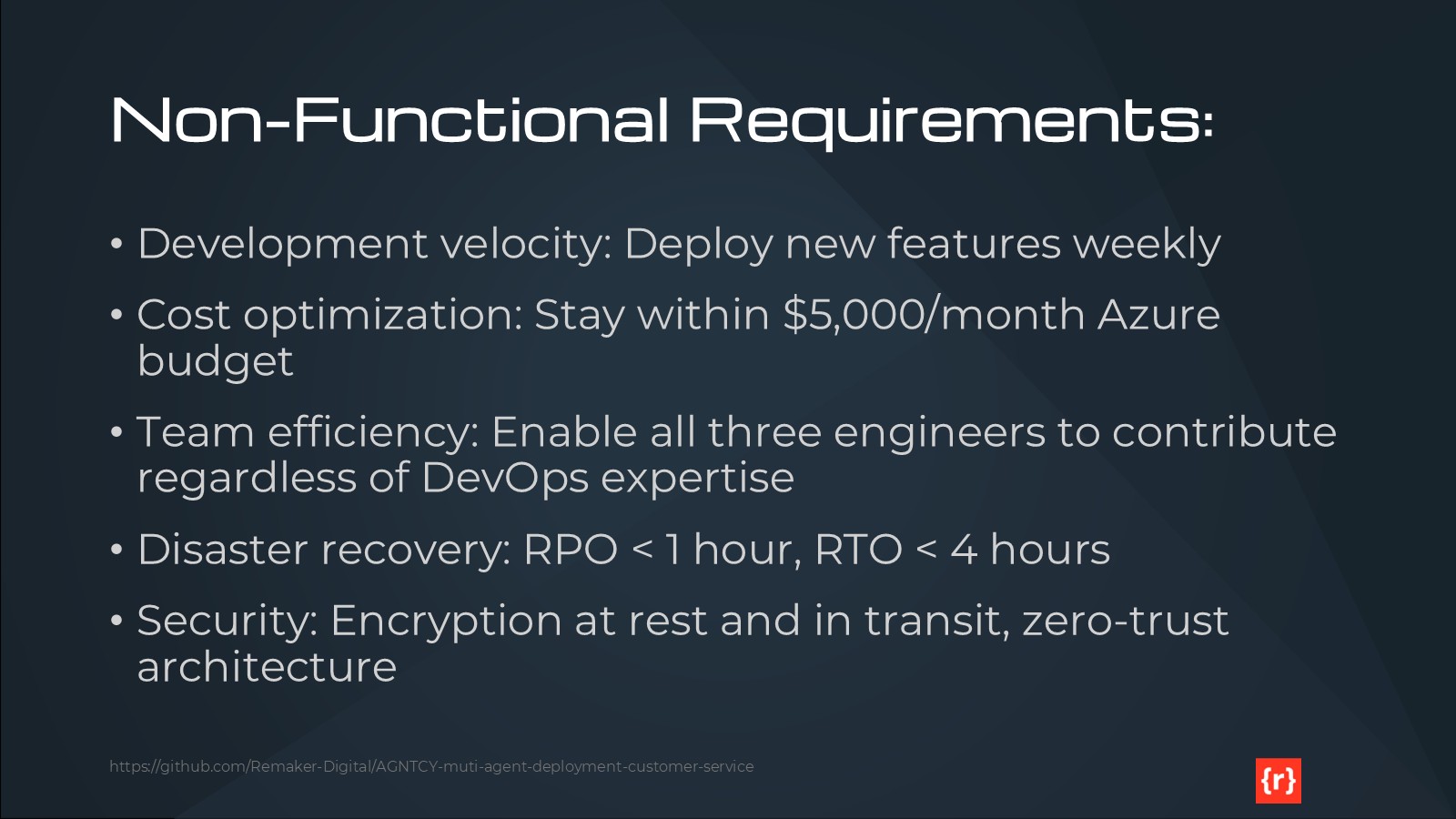
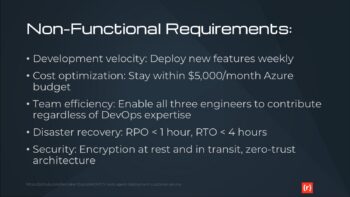
- RPO (Recovery Point Objective): 1 hour
- RTO (Recovery Time Objective): 4 hours
- Acceptable data loss: Maximum 1 hour of conversation history

Phase 1-3 Backup Strategy (Local Development):
- Version Control: All code, configurations, and IaC in GitHub
  * Automatic versioning via Git commits
  * Branch protection rules on main branch
  * Minimum 2 reviewers for production code
- Docker Images: Tagged and versioned in docker-compose.yml
- Mock Data: Stored in /test-data directory, version controlled
- Configuration: All .env.example files in repository (no secrets)
- Local Backups: Development machine automated backups (Windows Backup to external drive recommended)

Phase 4-5 Backup Strategy (Azure Production):
Infrastructure Backups:
- Terraform State: Stored in Azure Blob Storage with versioning enabled
  * State file backup retention: 30 days
  * State locking via Azure Blob lease to prevent conflicts
- Infrastructure-as-Code: All Terraform configs in GitHub (version controlled)

Data Backups:
- Cosmos DB:
  * Continuous backup mode enabled (point-in-time restore up to 30 days)
  * Automatic backups every 1 hour
  * Geo-redundant backup storage (if within budget, otherwise LRS)
  * Restore testing: Monthly validation of restore procedures
- Redis Cache:
  * Session data is ephemeral and can be regenerated
  * Redis persistence (RDB snapshots) every 15 minutes to storage account
  * Backup retention: 7 days (cost optimization)
- Azure Storage (logs, artifacts):
  * Geo-redundant storage (GRS) for critical artifacts
  * Lifecycle management: Move to cool tier after 30 days, archive after 90 days

Application Backups:
- Container Images:
  * All images tagged with version and commit SHA
  * Retention policy: Keep all production images indefinitely, cleanup dev images after 30 days
  * Azure Container Registry geo-replication disabled (cost optimization)
- Configuration:
  * Key Vault: Automatic soft-delete (90-day retention) and purge protection enabled
  * Secrets versioned automatically in Key Vault

Disaster Recovery Procedures:
1. Infrastructure Failure:
   - Terraform re-apply from latest state (estimated 30 minutes)
   - DNS/traffic routing to healthy resources (if multi-region in future)

2. Data Corruption/Loss:
   - Cosmos DB point-in-time restore to last known good state
   - Estimated restoration time: 2-3 hours for full dataset

3. Regional Outage (East US):
   - Phase 4-5 single region deployment: Accept downtime until region recovers
   - Future enhancement: Multi-region with failover (requires budget increase)

4. Accidental Deletion:
   - Resource locks on critical resources (Cosmos DB, Storage, Key Vault)
   - Azure Resource Manager soft-delete enabled where available
   - Terraform state history for infrastructure rollback

5. Security Incident:
   - Key Vault key rotation procedures documented
   - Compromised container image: Roll back to previous known-good image
   - Access audit logs in Log Analytics (retained 7 days)

Testing Schedule:
- Monthly: Backup restore validation (select Cosmos DB collection)
- Quarterly: Full disaster recovery drill (Terraform destroy and rebuild in test subscription)
- Annually: Tabletop exercise for all DR scenarios
- Document all DR tests in /docs/dr-test-results/

Monitoring and Alerts:
- Azure Backup failure alerts → immediate notification
- Terraform state file modified → audit log entry
- Cosmos DB backup age > 2 hours → warning alert
- Key Vault access from unexpected IP → security alert

MULTI-LANGUAGE SUPPORT:
Primary Language: US English (all phases)
- All documentation, code comments, log messages, and UI text in US English
- Default agent responses in US English

Additional Languages (Phase 4 only): Canadian French, Spanish
- Implementation Strategy:
  * Language detection in Intent Classification Agent (use metadata field: {"language": "fr-CA"})
  * Separate response generation agents per language:
    - response-generator-en (US English) - default
    - response-generator-fr-ca (Canadian French)
    - response-generator-es (Spanish)
  * Agent topic-based routing: Intent agent routes to language-specific response agent
  * Translation approach: Pre-translated response templates (not real-time translation to reduce cost)
  * Knowledge base: Multilingual documents in Azure Cognitive Search with language field

- Phase 1-3: US English only (simplifies development and testing)
- Phase 4: Add Canadian French and Spanish support
  * Requires: Translated knowledge base content
  * Requires: Language-specific response templates
  * Testing: Mock conversations in all three languages

- Cost Considerations:
  * No third-party translation APIs (cost prohibitive)
  * Static translations provided as part of knowledge base setup
  * Language-specific agent instances only spun up when needed (auto-scaling)

TESTING STRATEGY:
Phase 1 - Unit Testing (No External Dependencies):
- Framework: pytest with coverage reporting
- Scope: Individual agent logic, message parsing, routing decisions
- Mocks: All AGNTCY SDK transports and protocols mocked
- Coverage Target: >80% code coverage
- Environment: Local Windows 11 + VS Code + Docker Desktop
- CI: GitHub Actions runs tests on every commit
- No API keys or external services required

Phase 2 - Integration Testing (Mock APIs):
- Framework: pytest with pytest-docker for container orchestration
- Mock Services (implemented as Docker containers):
  * Mock Shopify API: /mocks/shopify/
    - Endpoints: /products, /inventory, /orders, /cart
    - Responses: Static JSON fixtures in /test-data/shopify/
  * Mock Zendesk API: /mocks/zendesk/
    - Endpoints: /tickets, /users, /ticket/{id}/comments
    - Responses: Static JSON fixtures in /test-data/zendesk/
  * Mock Mailchimp API: /mocks/mailchimp/
    - Endpoints: /campaigns, /lists, /automations
    - Responses: Static JSON fixtures in /test-data/mailchimp/
  * Mock Google Analytics: /mocks/google-analytics/
    - Endpoints: /reports, /events
    - Responses: Static JSON fixtures in /test-data/analytics/
- Test Scenarios:
  * Multi-agent conversation flows (customer inquiry → response)
  * Intent classification → knowledge retrieval → response generation pipeline
  * Escalation triggers and human handoff
  * Session management and context preservation
  * Error handling and retry logic
- Environment: Docker Compose orchestrates all agents + mock services
- CI: GitHub Actions builds all containers and runs integration suite
- No real API keys required (all mocked)

Phase 3 - Functional Testing (End-to-End Local):
- Framework: pytest + Playwright for chatbot UI testing (if applicable)
- Scope: Complete customer journey simulations
- Test Data: Realistic customer conversation scripts in /test-data/conversations/
- Performance: Benchmark response times, throughput on local hardware
- Load Testing: Locust for concurrent user simulation (limited by local resources)
- CI: GitHub Actions runs nightly full regression suite
- Deliverable: Test report demonstrating all KPIs met in local environment

Phase 4 - Production Integration Testing (Real APIs):
- Environment: Azure staging environment (separate from production)
- Real API Integration:
  * Shopify: Developer/Partner account (free) with test store
    - Required: Shopify Partner account (free)
    - API Key: Stored in Azure Key Vault
    - Scope: Read products, inventory; simulate orders in test mode
  * Zendesk: Trial or Sandbox account
    - Required: Zendesk trial account (free 14-day trial or sandbox)
    - API Key: Stored in Azure Key Vault
    - Scope: Create/update/read test tickets only
  * Mailchimp: Free tier account
    - Required: Mailchimp free account (up to 500 contacts)
    - API Key: Stored in Azure Key Vault
    - Scope: Test campaigns to internal email addresses only
  * Google Analytics: Test property
    - Required: Google Analytics test property (free)
    - Service Account: Stored in Azure Key Vault
    - Scope: Read-only access to test data
- Testing Scope:
  * API authentication and authorization
  * Real data payloads (validation of mock API accuracy)
  * Rate limiting and error handling
  * Webhook delivery and processing
- CI/CD: Azure DevOps Pipeline runs integration tests on staging before production deploy
- Cost: Minimal (free tiers + small Azure staging environment ~$20-30/month)

Phase 5 - Production Validation Testing:
- Smoke Tests: Automated post-deployment validation
  * Health check endpoints on all agents
  * Sample customer conversation end-to-end
  * Third-party API connectivity verification
- Load Testing: Azure Load Testing service (limited runs to stay in budget)
  * Target: 100 concurrent users, 1000 requests/minute
  * Monitor Azure metrics: CPU, memory, latency, errors
- Security Testing:
  * OWASP ZAP automated vulnerability scanning
  * Dependency scanning (Dependabot, Snyk)
  * Secrets scanning (git-secrets, detect-secrets)
- Disaster Recovery Testing: Quarterly full DR drill (documented in BACKUP section)

THIRD-PARTY SERVICE ACCOUNTS AND API KEYS:
Phase 1-3 Requirements (Development with Mocks):
- None required - all services mocked locally
- Optional: GitHub account for repository access (free)
- Optional: Docker Hub account for base image pulls (free tier sufficient)

Phase 4-5 Requirements (Production with Real APIs):
- Azure:
  * Azure Subscription (pay-as-you-go, $200/month budget)
  * Azure DevOps organization (free for small teams)
  * Service Principal for Terraform automation (created via Azure CLI)

- Shopify:
  * Shopify Partner Account (free) - https://www.shopify.com/partners
  * Development Store (free, created within Partner account)
  * API Credentials: API Key, API Secret, Access Token
  * Webhooks: Configure for inventory updates, order events
  * Cost: $0 (Partner program is free)

- Zendesk:
  * Zendesk Trial Account (14-day free trial) or Sandbox
  * API Token for agent authentication
  * Subdomain: {yourdomain}.zendesk.com
  * Webhooks: Configure for ticket creation/updates
  * Cost: Trial is free; ongoing use may require paid plan (~$19-49/month per agent - consider budget impact)
  * Alternative: Consider Zendesk Sandbox account (free for partners/developers)

- Mailchimp:
  * Mailchimp Free Account (up to 500 contacts, 1000 sends/month)
  * API Key for integration
  * Audience ID for subscriber list
  * Cost: $0 with free tier (upgrade if needed, starting ~$13/month)

- Google Analytics:
  * Google Account (free)
  * Google Analytics 4 Property (free)
  * Service Account for API access (created in Google Cloud Console, free)
  * Cost: $0

- OpenTelemetry (Observability):
  * Phase 1-3: Self-hosted Grafana + ClickHouse (Docker Compose, free)
  * Phase 4-5: Azure Monitor integration (included in Azure costs)

- LLM/AI Services (for agent intelligence):
  * Option 1: Azure OpenAI Service (recommended for Azure integration)
    - Requires separate Azure OpenAI access application
    - Cost: Pay-per-token (estimate $20-50/month for testing, monitor closely)
  * Option 2: OpenAI API (openai.com)
    - API Key required
    - Cost: Pay-per-token (similar pricing to Azure OpenAI)
  * Phase 1-3: Consider using mock/canned responses to avoid LLM costs during development
  * Phase 4-5: Integrate real LLM, monitor token usage closely to stay in budget

Total Estimated Ongoing Costs (Phase 4-5):
- Azure: $200/month (budget ceiling)
- Zendesk: $0-49/month (use trial/sandbox or budget for one agent license)
- Others: $0 (all free tiers)
- Recommendation: If Zendesk cost is required, reduce Azure spend to $150-180 to stay within overall budget, or use alternative ticketing system with free tier

API Key Management:
- Phase 1-3: Environment variables in .env file (not committed to Git, .env.example template provided)
- Phase 4-5: Azure Key Vault for all secrets, accessed via Managed Identity
- Rotation: Document API key rotation procedures (quarterly recommended)
- Security: Never commit secrets to Git (use .gitignore, git-secrets pre-commit hook)

DELIVERABLES:
Phase 1:
- Docker Compose configuration with all infrastructure services
- Agent container skeletons with AGNTCY SDK integration
- Mock API implementations (Shopify, Zendesk, Mailchimp)
- Unit test suite with >80% coverage
- GitHub repository with README and setup instructions
- GitHub Actions CI workflow

Phase 2:
- Complete agent implementations (Intent, Knowledge, Response, Escalation, Analytics)
- Integration test suite against mock services
- Documentation: Agent communication flows, message schemas
- Performance benchmarks (local environment baseline)

Phase 3:
- End-to-end functional test suite
- Test data sets for realistic scenarios
- Performance and load testing results (local)
- Documentation: Testing guide, troubleshooting

Phase 4:
- Terraform configurations for Azure infrastructure
- Multi-language support (Canadian French, Spanish)
- Real API integrations (Shopify, Zendesk, Mailchimp)
- Azure DevOps pipeline configuration
- Cost optimization documentation and weekly cost reports
- Disaster recovery procedures and testing results

Phase 5:
- Production deployment to Azure East US
- Security scanning reports
- Load testing results (Azure environment)
- Disaster recovery validation report
- Final blog post content and code examples
- Public GitHub repository with comprehensive README

Please create Terraform configurations that implement this architecture following Azure best practices and optimized for the $200/month Phase 4-5 budget constraint.